Comprehensive radio automation suite with scheduling, audio processing, and listener analytics for internet stations
Comprehensive radio automation suite with scheduling, audio processing, and listener analytics for internet stations
Vote (2 votes)
Program license Trial version
Developer spacial-team
Version 2023.3
Works under Windows
Vote
(2 votes)
Developer
spacial-team
Works under
Windows
Program license
Trial version
Version
2023.3
Pros
- Comprehensive toolkit for online radio, combining streaming, playlist management, and audience analytics
- Supports widely used streaming formats and server types for broad compatibility
- Automation features like voice tracking and event scheduling help maintain around-the-clock programming
- Advanced audio processing (AGC, crossfading, normalization) improves sound consistency and transitions
- Dual playback decks and built-in mixer provide precise control for live shows
- Detailed listener statistics offer insight into audience behavior
- Failover mechanism helps keep the stream online during server problems
- Guides and community resources assist with learning the software
Cons
- Steep learning curve, particularly challenging for first-time broadcasters
- Interface feels outdated compared with more modern applications
- Occasional crashes can disrupt broadcasts
- High CPU usage when handling large music libraries may affect performance on some systems
SAM Broadcaster PRO is a professional radio automation suite for Windows that combines live broadcasting, playlist control, and audience tracking to help internet stations sound polished. It is aimed at online radio operators and DJs who want a full-featured studio-style environment for running an internet stream.
All-in-one studio for internet radio
SAM Broadcaster PRO brings together the core tools needed to run an online station. You can manage live streams, organize playlists, and monitor listener activity from the same application. The program works with widely used streaming formats and server types, so it can fit into different hosting setups and platforms without major compatibility concerns.
Beyond basic playback, the software is designed for those who run regular shows or stations with consistent programming, from hobby projects to more serious internet radio operations.
Automation for continuous programming
One of the strongest aspects of SAM Broadcaster PRO is its automation. Features such as voice tracking and event scheduling help you plan and maintain an always-on stream. You can schedule specific tracks, shows, or announcements to trigger at set times, which makes it practical to keep a station running even when nobody is at the controls.
Playlist automation further reduces manual work by handling rotations and transitions. This helps create programs that feel curated rather than random, while still requiring less day-to-day attention once everything is configured.
Audio processing and live mixing tools
Sound quality and transitions are clear priorities here. SAM Broadcaster PRO includes advanced audio processing such as AGC, crossfading, and normalization. These tools help keep volume levels consistent and transitions between tracks smooth, which gives broadcasts a more professional character.
For live work, dual playback decks and a built-in mixer provide detailed control over what goes to air. You can prepare the next track while another is playing and manage levels in real time, which suits DJs and presenters who like to interact with their sets or host live shows.
Performance, reliability, and resource usage
In regular use, performance is generally solid, and the presence of a failover mechanism is a notable advantage. If there are issues with a streaming server, this feature helps maintain the broadcast and reduce downtime.
That said, the program is not without drawbacks. There can be occasional crashes, and CPU usage can increase significantly when you are working with very large music libraries. This means some setups may need careful monitoring of system resources, especially if the station relies on extensive collections of audio files.
Interface and learning curve
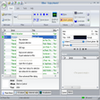
The interface focuses more on function than modern design. It provides access to a wide range of features, but visually it feels dated compared with newer broadcasting tools. New users may need time to get comfortable with the layout and the number of panels and options.
SAM Broadcaster PRO has a reputation for being complex at first contact. The breadth of options brings a steep learning curve, especially for beginners who have never run radio automation software before. However, tutorials and community materials are available, which can make the process more approachable if you are willing to spend time learning how everything fits together.
Who will benefit most
SAM Broadcaster PRO is best suited to dedicated broadcasters who want a complete environment for internet radio and are ready to invest effort into setup and configuration. Once you have gone through that initial stage, the software can serve as a central hub for managing both simple playlist-based streams and more advanced, schedule-driven stations.
If you value strong audio processing, flexible automation, and detailed listener statistics, and you can tolerate an older-looking interface and some complexity, SAM Broadcaster PRO stands out as a robust choice for running an online radio presence.
Pros
- Comprehensive toolkit for online radio, combining streaming, playlist management, and audience analytics
- Supports widely used streaming formats and server types for broad compatibility
- Automation features like voice tracking and event scheduling help maintain around-the-clock programming
- Advanced audio processing (AGC, crossfading, normalization) improves sound consistency and transitions
- Dual playback decks and built-in mixer provide precise control for live shows
- Detailed listener statistics offer insight into audience behavior
- Failover mechanism helps keep the stream online during server problems
- Guides and community resources assist with learning the software
Cons
- Steep learning curve, particularly challenging for first-time broadcasters
- Interface feels outdated compared with more modern applications
- Occasional crashes can disrupt broadcasts
- High CPU usage when handling large music libraries may affect performance on some systems